

Find products and stock
Search the catalog by name, read variants, prices and stock, and list your locations.
SuperSwipe MCP connects Claude, Cursor, VS Code or Codex to your store. Your agent searches the catalog, plans a release, launches it, watches entries come in and selects winners. Anything that moves money or cannot be undone is previewed first and waits for your yes.
Search the catalog by name, read variants, prices and stock, and list your locations.
Products are planned first, created as drafts, and published to the Online Store only when you say so.
Standard or pay after, any stock and schedule. The agent shows you the plan and creates exactly what you approved.
Change stock, schedule, filters or emails on a scheduled or live draw, and decide who wins as a VIP.
One call returns the status, entries, audience, entries per hour, capacity per size and what can happen next.
Ending, selecting, cancelling entries or sending payment links is previewed first and needs your yes.
Pull every entry as a CSV, and fetch the SuperSwipe Wrapped report once the draw completes.
Store name, contact and support emails and the storefront domain. Reading and changing them are separate permissions.
The server ships its own docs, and every call is logged under the key that made it, so you can always check what happened.
Your agent talks to a merchant API built for agents. It runs the same code your dashboard runs, so nothing skips the checks, and every step that matters comes back to you before it happens.
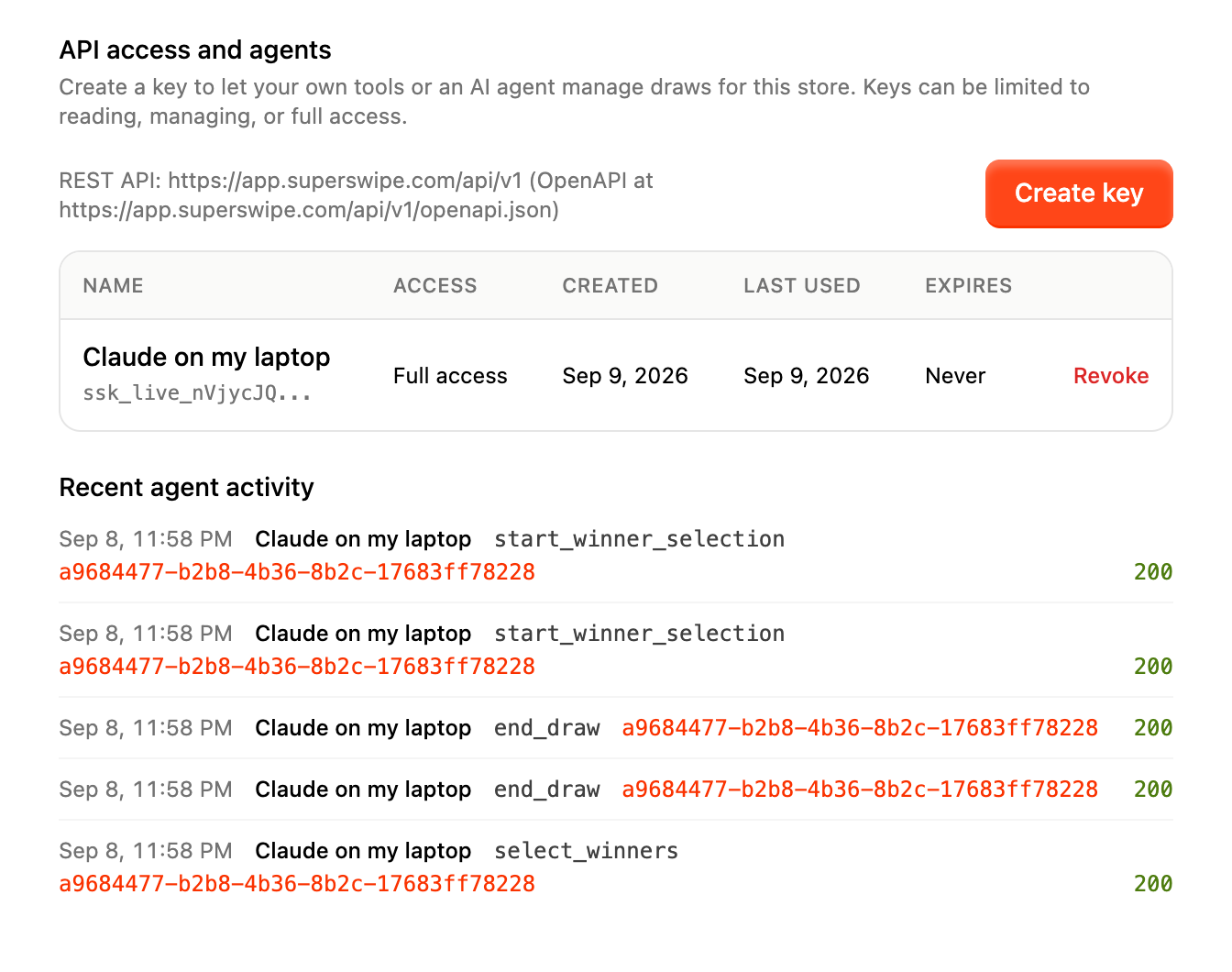
Open Settings, then API access and agents, and create a key. Pick what it may do: read only, manage releases, or full access. Keys can expire on a date you choose and you can revoke one at any time.
Paste one snippet into Claude Code, Codex, Cursor, VS Code or Claude Desktop. The agent gets 29 tools, the docs and the playbooks the moment it connects, so it knows how SuperSwipe works before it touches anything.
Creating a draw is two steps. The agent asks SuperSwipe for a plan, shows it to you in plain words, and creates exactly what you approved. If the plan changes between the two, the create is refused.
Ending a draw, selecting winners, cancelling entries or sending payment links needs a preview and a confirmation token. The token is bound to the state of the release, is single use, and expires after ten minutes.
Create a key in Settings, then click the box for your agent to copy it. Replace
ssk_live_your_key with the key SuperSwipe shows you.

claude mcp add --transport http superswipe https://mcp.superswipe.com/mcp --header "Authorization: Bearer ssk_live_your_key"

[mcp_servers.superswipe]
url = "https://mcp.superswipe.com/mcp"
http_headers = { Authorization = "Bearer ssk_live_your_key" }

{
  "mcpServers": {
    "superswipe": {
      "url": "https://mcp.superswipe.com/mcp",
      "headers": { "Authorization": "Bearer ssk_live_your_key" }
    }
  }
}

{
  "servers": {
    "superswipe": {
      "type": "http",
      "url": "https://mcp.superswipe.com/mcp",
      "headers": { "Authorization": "Bearer ssk_live_your_key" }
    }
  }
}
{
  "mcpServers": {
    "superswipe": {
      "command": "npx",
      "args": ["-y", "mcp-remote", "https://mcp.superswipe.com/mcp", "--header", "Authorization:${SUPERSWIPE_AUTH}"],
      "env": { "SUPERSWIPE_AUTH": "Bearer ssk_live_your_key" }
    }
  }
}
Every endpoint, parameter and response, with the guides agents read, on one site.
Read the API documentationPrefer your own tooling? The same key works against the REST API directly, with the same scopes, previews and confirmation tokens. The MCP server is a thin layer on top of it and holds no data of its own.
SuperSwipe MCP is included with the app. Create a key, connect the agent you already use, and keep every draw one confirmation away from you.